AI agent for logistics order processing with GPT 4o Gmail an
Tags: Supply Chain, Logistics, AI Agents Context Hey! I’m Samir, a Supply Chain Data Scientist from Paris, and the founder of LogiGreen Consulting. We design...
🔌 Nodes & Integrations Used (5)
📖 Implementation & Setup Guide
*Tags: Supply Chain, Logistics, AI Agents*
Context
Hey! I’m [Samir](https://samirsaci.com), a Supply Chain Data Scientist from Paris, and the founder of [LogiGreen Consulting](https://logi-green.com).
We design tools to help companies improve their **logistics processes** using data analytics, AI, and automation—to **reduce costs and minimize environmental impacts**.
>Let’s use N8N to improve logistics operations!
📬 For business inquiries, you can add me on [LinkedIn](https://www.linkedin.com/in/samir-saci)
Who is this template for?
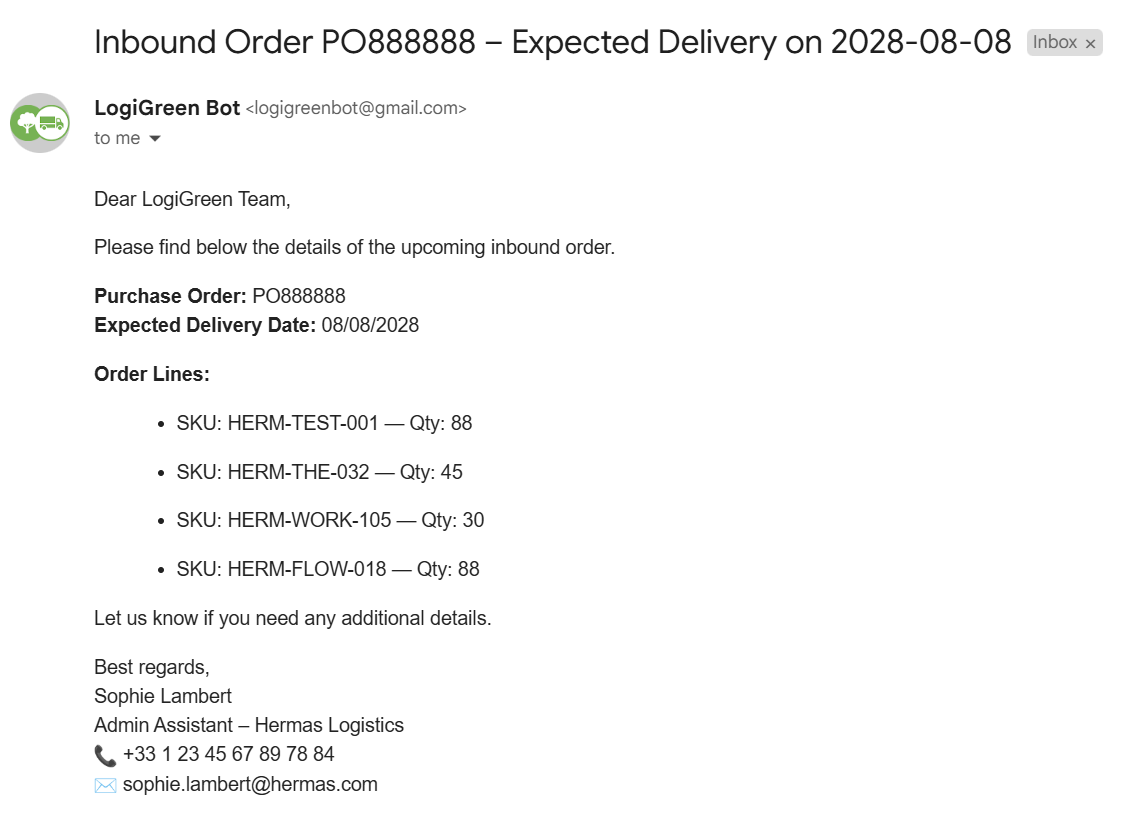
This workflow template is designed for **logistics or manufacturing operations** that receive orders by email.
[](https://www.youtube.com/watch?v=kQ8dO_30SB0)
The example above illustrate the challenge we want to tackle using an **AI Agent** to parse the information and load them in a **Google sheet**.
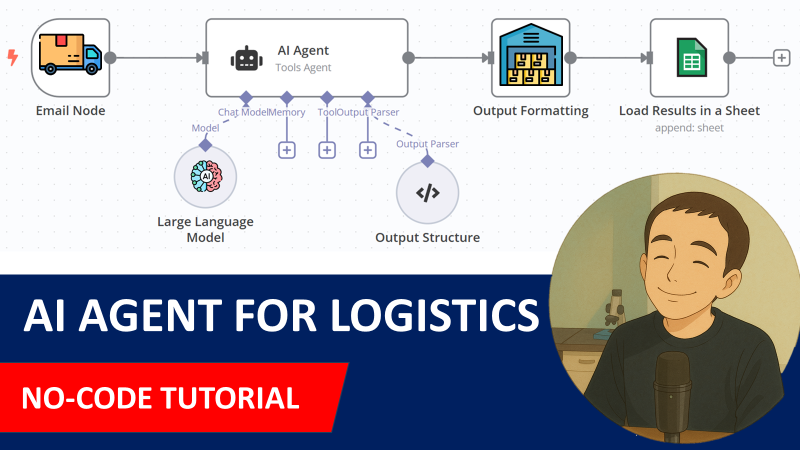
If you want to understand how I built this workflow, check my detailed tutorial:
[](https://www.youtube.com/watch?v=kQ8dO_30SB0)
[🎥 Step-by-Step Tutorial](https://www.youtube.com/watch?v=kQ8dO_30SB0)
How does it work?
The workflow is connected to a **Gmail Trigger** to open all the emails that include *Inbound Order* in their subject.
The email is parsed by an **AI Agent** equipped with **OpenAI's GPT** to collect all the information.
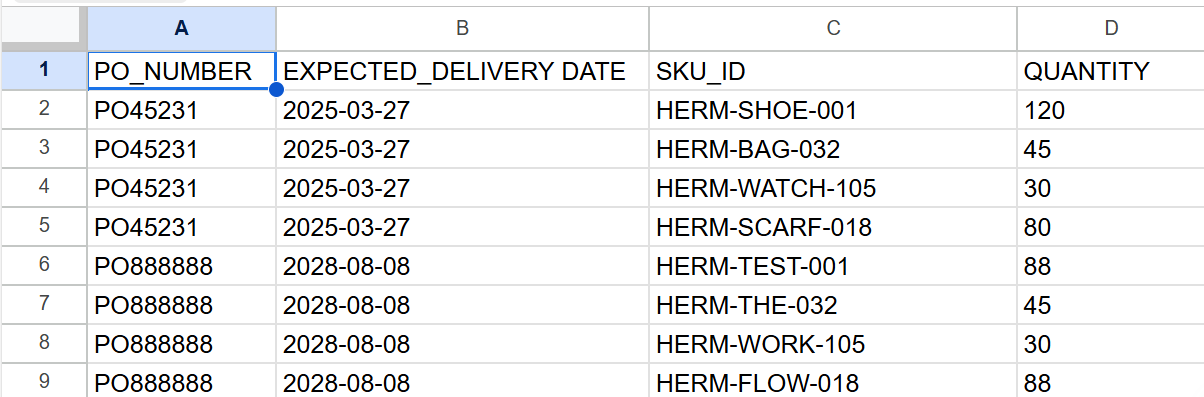
The results are pulled in a **Google Sheet**.
[](https://www.youtube.com/watch?v=kQ8dO_30SB0)
These orderlines can then be **transferred to warehouse teams** to prepare ***order receiving**.
What do I need to get started?
You’ll need: - **Gmail and Google Drive Accounts** with the API credentials to access it via n8n - An **OpenAI API key** (GPT-4o) for the chat model. - A **Google Sheet** with these columns: **PO_NUMBER, EXPECTED_DELIVERY DATE, SKU_ID, QUANTITY**
Next Steps
Follow the sticky notes in the workflow to configure each node and start using **AI to support your logistic operations**.
🚀 Curious how N8N can transform your logistics operations? 📬 Let’s connect on [LinkedIn](https://www.linkedin.com/in/samir-saci)
Notes
- An example of email is included in the template so you can try it with your mailbox.
*This workflow was built using N8N version 1.82.1* *Submitted: March 28, 2025*
⚡ How to import this workflow into n8n:
- Click the Direct Download JSON button above to save
_AI_agent_for_logistics_order_processing_with_GPT_4o_Gmail_an.json. - Log in to your n8n Cloud or self-hosted n8n instance.
- In your workflow canvas, click the menu in top-right and select Import from File (or paste the JSON directly).
- Configure your credentials (e.g. API keys, database URLs) in the corresponding node settings.
- Click Execute Workflow to test and switch to Active!
Related AI Agents Workflows
View All in AI Agents →5 ways to process images PDFs with Gemini AI in n8n
How it works Many users have asked in the support forum about different methods to analyze images and PDF documents with Google Gemini AI in n8n. This workfl...
7 AI Sales Assistant
Production-ready n8n automation template for 7 AI Sales Assistant built by AhiXLight. Seamlessly connects Airtop Tool, Slack, Airtop with 24 configured nodes.
AAVE portfolio professional AI agent Telegram Email GPT 4o
A next-generation AI-powered DeFi health monitor that tracks wallet positions across Aave V3 using GPT-4o and LangChain. It delivers human-readable reports v...
Access control for AI agents RBAC using Airtable and Telegram
Purpose This workflow allows granular control over the access to tools connected to AI Agents (including Multi-Agent setups) using Role Based Access Control....