AI news research team 24 7 newsletter automation with citations
 Purpose of workflow: This AI-powered workflow automatically generates detailed, well-resea...
🔌 Nodes & Integrations Used (10)
📖 Implementation & Setup Guide
[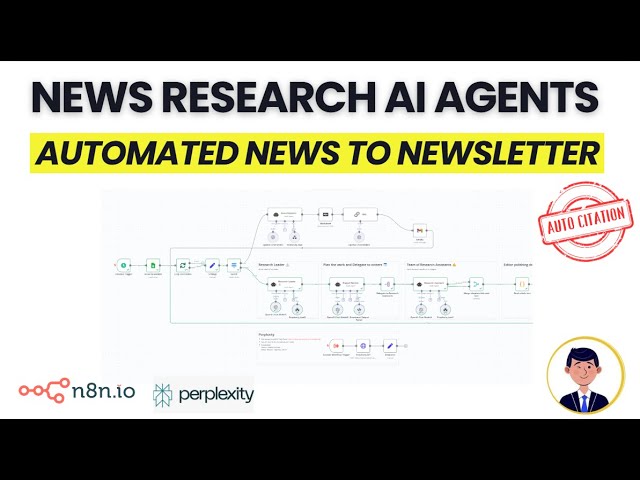](https://youtu.be/sKJAypXDTLA)
**Purpose of workflow:**
This AI-powered workflow automatically generates detailed, well-researched newsletters by monitoring and analyzing specified news topics (like Bitcoin, Nvidia, etc.). It uses a team of AI research agents to gather, analyze, and compile information with automatic citations, saving significant time in newsletter creation.
**How it works:**
Multi-agent system: - Research Leader: Analyzes topics and creates content outline - Project Planner: Breaks down research into specific tasks - Research Assistants: Conduct detailed research on assigned subtopics - Editor: Combines research and polishes final output
**Key features:** - Automated daily monitoring of specified news topics - Real-time information gathering using Perplexity AI - Auto-citation functionality for source verification - Flexible time window filtering (day/week/month) - Options for detailed or simple reports - Direct email delivery of completed newsletters
**Step-by-step setup:** 1. Perplexity API Setup: - Create account at perplexity.ai - Navigate to API tab - Generate API key - Set up credentials with 'Bearer' authentication
2. Workflow Configuration: - Connect Google Sheets containing news monitoring topics - Configure schedule trigger for daily execution - Set up email delivery settings - Define report type preferences (detailed/simple) - Specify time window for news gathering
3. Integration: - Connect with newsletter tools like Kit - Import generated content as starting point - Edit and customize as needed before publishing
⚡ How to import this workflow into n8n:
- Click the Direct Download JSON button above to save
AI_news_research_team_24_7_newsletter_automation_with_citations.json. - Log in to your n8n Cloud or self-hosted n8n instance.
- In your workflow canvas, click the menu in top-right and select Import from File (or paste the JSON directly).
- Configure your credentials (e.g. API keys, database URLs) in the corresponding node settings.
- Click Execute Workflow to test and switch to Active!
Related AI Agents Workflows
View All in AI Agents →5 ways to process images PDFs with Gemini AI in n8n
How it works Many users have asked in the support forum about different methods to analyze images and PDF documents with Google Gemini AI in n8n. This workfl...
7 AI Sales Assistant
Production-ready n8n automation template for 7 AI Sales Assistant built by AhiXLight. Seamlessly connects Airtop Tool, Slack, Airtop with 24 configured nodes.
AAVE portfolio professional AI agent Telegram Email GPT 4o
A next-generation AI-powered DeFi health monitor that tracks wallet positions across Aave V3 using GPT-4o and LangChain. It delivers human-readable reports v...
Access control for AI agents RBAC using Airtable and Telegram
Purpose This workflow allows granular control over the access to tools connected to AI Agents (including Multi-Agent setups) using Role Based Access Control....