Siri AI agent Apple Shortcuts powered voice template
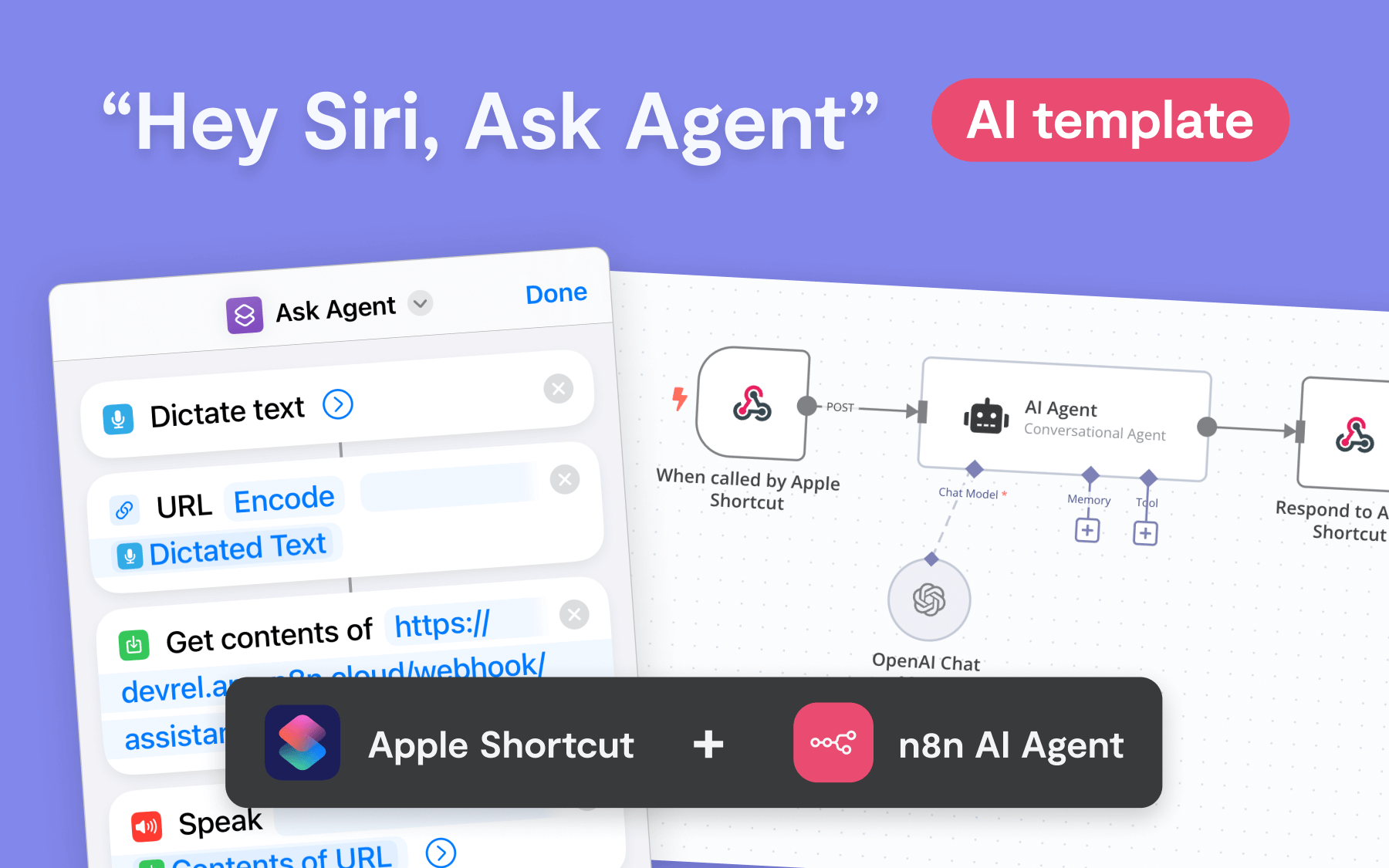
This template demonstrates how to trigger an AI Agent with Siri and Apple Shortcuts, showing a simple pattern for voice-activated workflows in n8n. It's easy...
🔌 Nodes & Integrations Used (2)
📖 Implementation & Setup Guide
This template demonstrates how to trigger an AI Agent with Siri and Apple Shortcuts, showing a simple pattern for voice-activated workflows in n8n. It's easy to customize—add app nodes before the AI Agent step to pass additional context, or modify the Apple Shortcut to send inputs like text, geolocation, images, or files.
Set Up Basic instructions in template itself.
Requirements - **n8n account** (cloud or self-hosted) - **Apple Shortcuts app** on iOS or macOS. Dictation ("Siri") must be activated. Download the [Shortcuts template here](https://uploads.n8n.io/devrel/ask-agent-v1.shortcut).
Key Features: - **Voice-Controlled AI:** Trigger AI Agent via Siri for real-time voice replies. - **Customizable Inputs:** Modify Apple Shortcut to send text, images, geolocation, and more. - **Flexible Outputs:** Siri can return the AI’s response as text, files, or customize it to trigger CRUD actions in connected apps. - **Context-Aware:** Automatically feeds the current date and time to the AI Agent, with easy options to pass in more data.
How It Works: 1. **Activate Siri** and speak your request. 2. Siri sends the transcribed text to the n8n workflow via Apple Shortcuts. 3. **AI Agent** processes the request and generates a response. 4. Siri reads the response, or the workflow can return geolocation, files, or even perform CRUD actions in apps.
Inspiration: Custom Use Cases Tweak this template and make it your own. - **Capture Business Cards:** Snap a photo of a business card and record a voice note. Have the AI Agent draft a follow-up email in Gmail, ready to send. - **Voice-to-Task Automation:** Speak a new to-do item, and the workflow will add it to a Notion task board. - **Business English on the Fly:** Convert casual speech into polished business language, and save the refined text directly to your pasteboard, ready to be pasted into any app. "It's late because of you" -> "There has been a delay, and I believe your input may have contributed to it."
⚡ How to import this workflow into n8n:
- Click the Direct Download JSON button above to save
Siri AI agent_ Apple Shortcuts powered voice template.json. - Log in to your n8n Cloud or self-hosted n8n instance.
- In your workflow canvas, click the menu in top-right and select Import from File (or paste the JSON directly).
- Configure your credentials (e.g. API keys, database URLs) in the corresponding node settings.
- Click Execute Workflow to test and switch to Active!
Related AI Agents Workflows
View All in AI Agents →5 ways to process images PDFs with Gemini AI in n8n
How it works Many users have asked in the support forum about different methods to analyze images and PDF documents with Google Gemini AI in n8n. This workfl...
7 AI Sales Assistant
Production-ready n8n automation template for 7 AI Sales Assistant built by AhiXLight. Seamlessly connects Airtop Tool, Slack, Airtop with 24 configured nodes.
AAVE portfolio professional AI agent Telegram Email GPT 4o
A next-generation AI-powered DeFi health monitor that tracks wallet positions across Aave V3 using GPT-4o and LangChain. It delivers human-readable reports v...
Access control for AI agents RBAC using Airtable and Telegram
Purpose This workflow allows granular control over the access to tools connected to AI Agents (including Multi-Agent setups) using Role Based Access Control....