Message on website content changed in Telegram
I wanted a system to monitor website content changes and notify me. So I made it using n8n. Especially my competitor blogs. I wanted to know how often they a...
🔌 Nodes & Integrations Used (3)
📖 Implementation & Setup Guide
I wanted a system to monitor website content changes and notify me. So I made it using n8n.
Especially my competitor blogs. I wanted to know how often they are posting new articles. (I used their sitemap.xml file) (The below workflow may vary)
In the Below example, I used HackerNews for example.
Explanation:
- First HTTP Request node crawls the webpage and grabs the website source code
- Then wait for x minutes
- Again, HTTP Node crawls the webpage
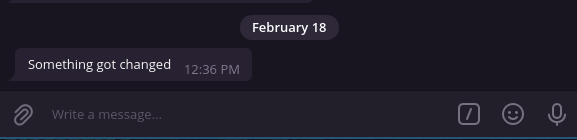
- If Node compares both results are equal if anything is changed. It’ll go to the false branch and notify me in telegram.
**Workflow:**

**Sample Response:**
⚡ How to import this workflow into n8n:
- Click the Direct Download JSON button above to save
Message on website content changed in Telegram.json. - Log in to your n8n Cloud or self-hosted n8n instance.
- In your workflow canvas, click the menu in top-right and select Import from File (or paste the JSON directly).
- Configure your credentials (e.g. API keys, database URLs) in the corresponding node settings.
- Click Execute Workflow to test and switch to Active!
Related Messaging & Chat Workflows
View All in Messaging & Chat →Add a bug to Linear via Slack command
Use Case When building a product it's important to discover and eliminate bugs as quickly as possible. Since we're using our product at n8n a lot, we wanted ...
AI Children s Storytelling on Telegram
Production-ready n8n automation template for AI Children s Storytelling on Telegram built by AhiXLight. Seamlessly connects Lm Chat Open Ai, Chain Summarization, Text Splitter Recursive Character Text Splitter with 14 configured nodes.
AI Event Banner Generator with BannerBear
Production-ready n8n automation template for AI Event Banner Generator with BannerBear built by AhiXLight. Seamlessly connects Form Trigger, HTTP Request, Bannerbear with 16 configured nodes.
AI Event Banner Generator with n8n
Production-ready n8n automation template for AI Event Banner Generator with n8n built by AhiXLight. Seamlessly connects Form Trigger, HTTP Request, Bannerbear with 16 configured nodes.