Deploy Docker InfluxDB API backend for WHMCS WISECP
Overview The Docker InfluxDB WHMCS module uses a specially designed workflow for n8n to automate deployment processes. The workflow provides an API interface...
🔌 Nodes & Integrations Used (1)
📖 Implementation & Setup Guide
Overview
The **Docker InfluxDB WHMCS module** uses a specially designed workflow for **n8n** to automate deployment processes. The workflow provides an API interface for the module, receives specific commands, and connects via SSH to a server with Docker installed to perform predefined actions.
Prerequisites
- You must have your own **n8n** server.
- Alternatively, you can use the official **n8n** cloud installations available at: [n8n Official Site](https://n8n.partnerlinks.io/o692v7cg297k)
Installation Steps
Install the Required Workflow on n8n
You have two options:
#### **Option 1: Use the Latest Version from the n8n Marketplace**
- The latest workflow templates for our modules are available on the official n8n marketplace.
#### **Option 2: Manual Installation**
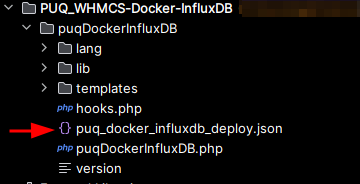
- Each module version comes with a workflow template file.
- 
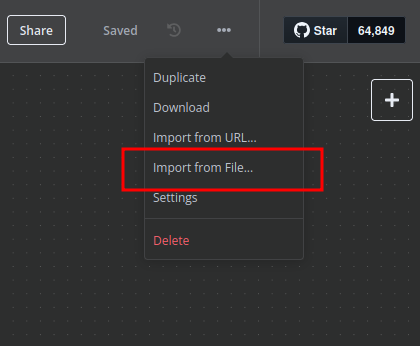
- You need to manually import this template into your n8n server.
- 
n8n Workflow API Backend Setup for WHMCS/WISECP
1. Configure API Webhook and SSH Access
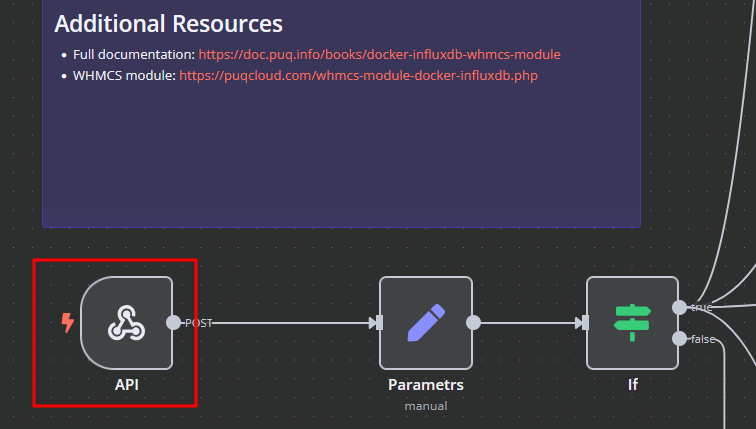
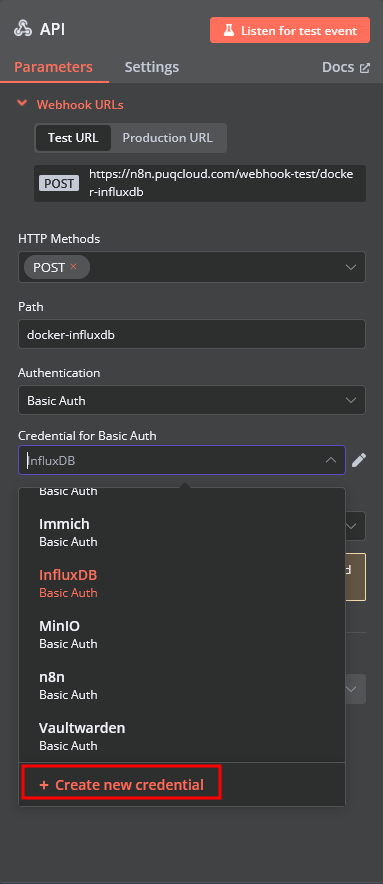
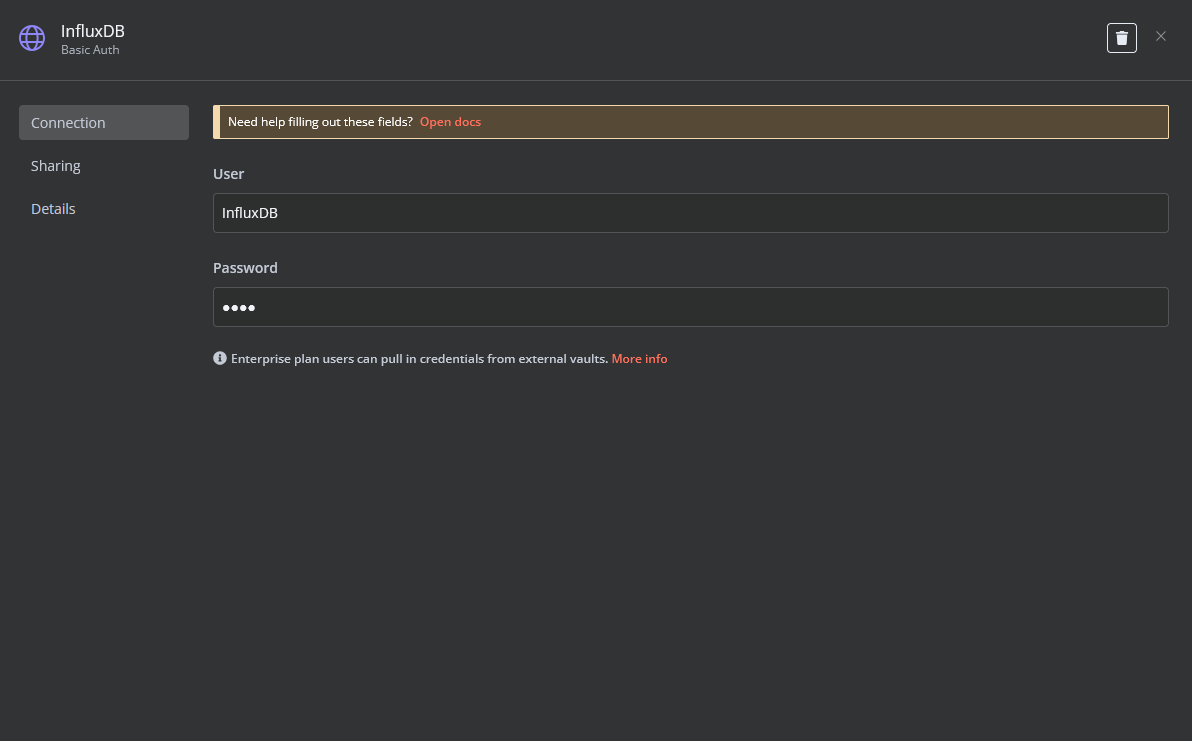
- Create a **Basic Auth Credential** for the Webhook API block in n8n.
- 
- 
- 
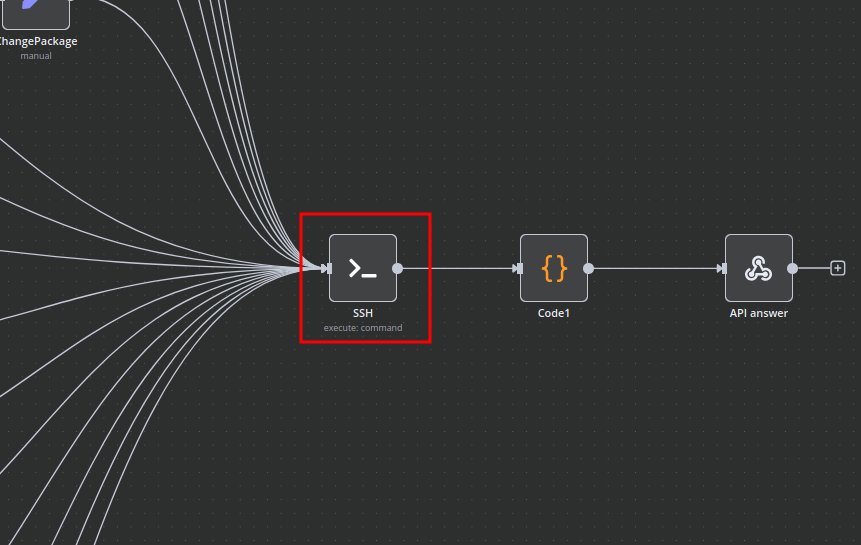
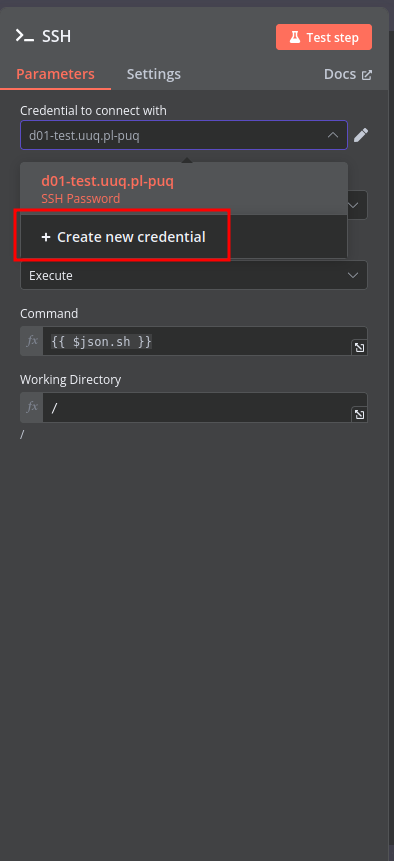
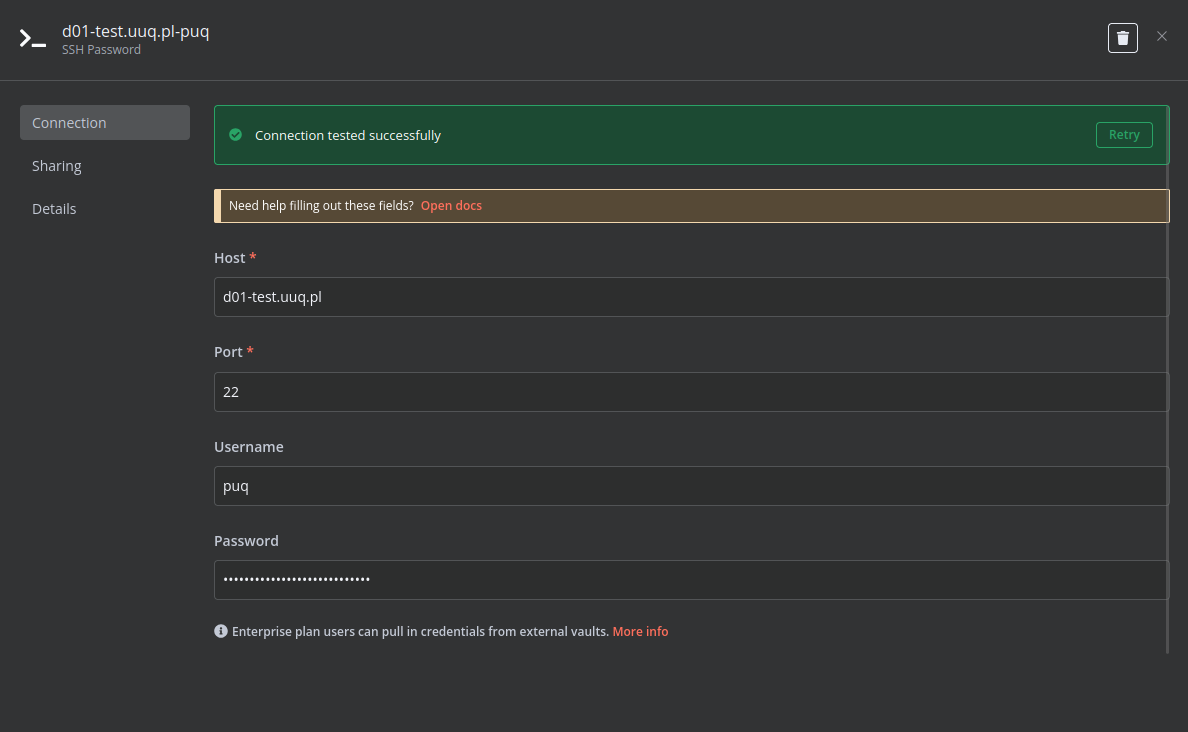
- Create an **SSH Credential** for accessing a server with Docker installed.
- 
- 
- 
2. Modify Template Parameters
In the **Parameters** block of the template, update the following settings: 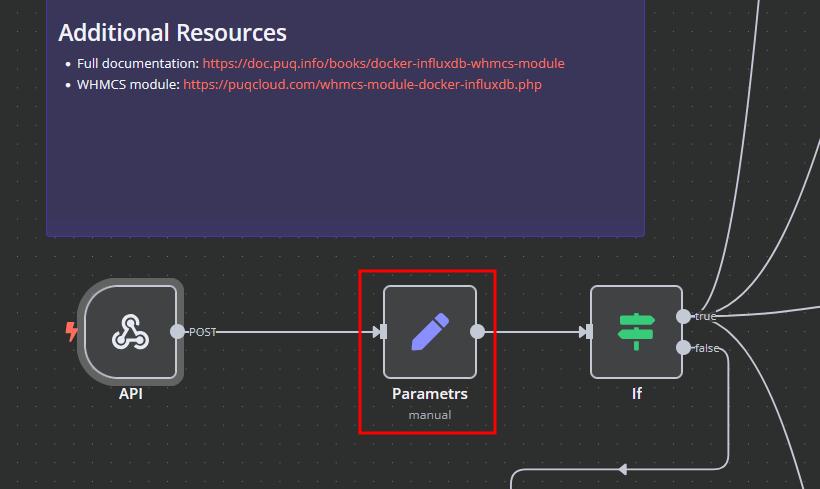 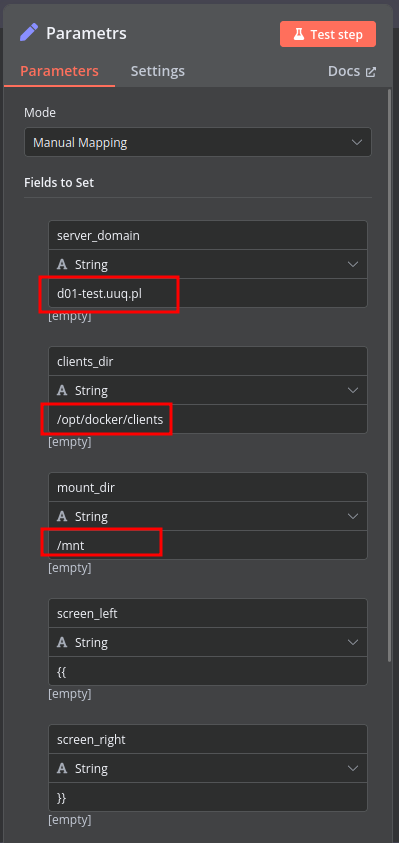
- `server_domain` – Must match the domain of the WHMCS/WISECP Docker server.
- `clients_dir` – Directory where user data related to Docker and disks will be stored.
- `mount_dir` – Default mount point for the container disk (recommended not to change).
**Do not modify** the following technical parameters:
- `screen_left`
- `screen_right`
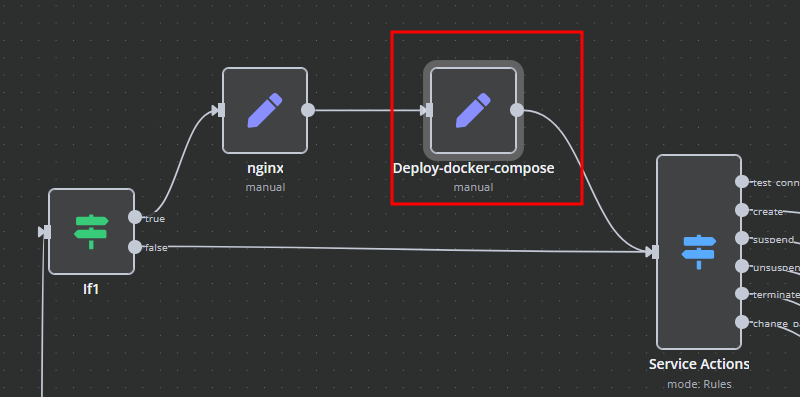
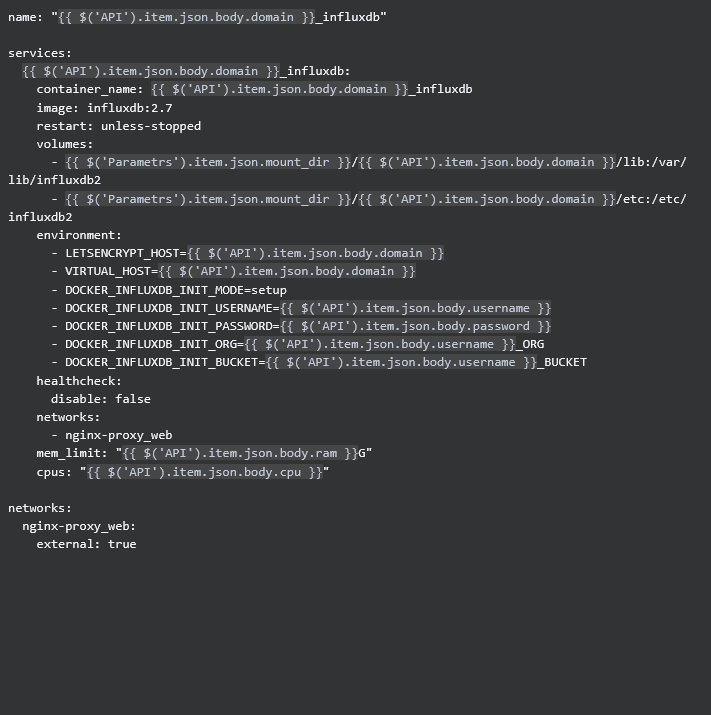
**Deploy-docker-compose**
In the **Deploy-docker-compose** element, you can modify the Docker Compose configuration. This is generated in the following scenarios:
- When the service is created
- When the service is unlocked
- When the service is updated
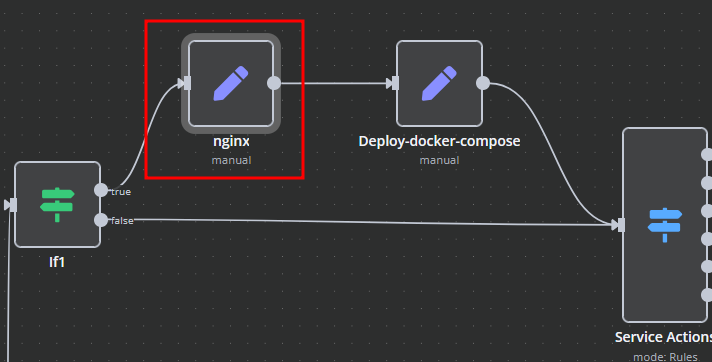
**nginx**
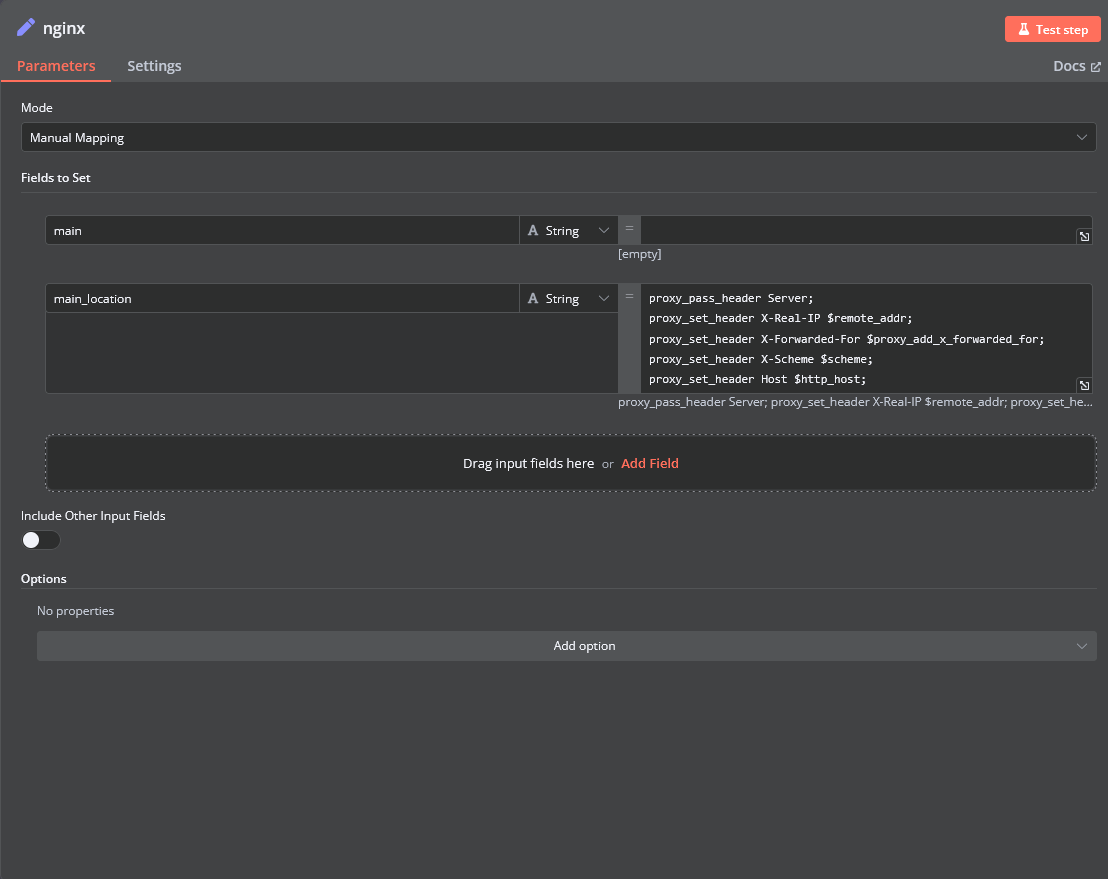
In the **nginx** element, you can modify configuration parameters of the web interface proxy server.
- The **main** section allows you to add custom parameters to the `server` block in the proxy server configuration file.
- The **main_location** section contains settings that will be added to the `location /` block of the configuration. Here, you can define custom headers and parameters.
**Bash Scripts**
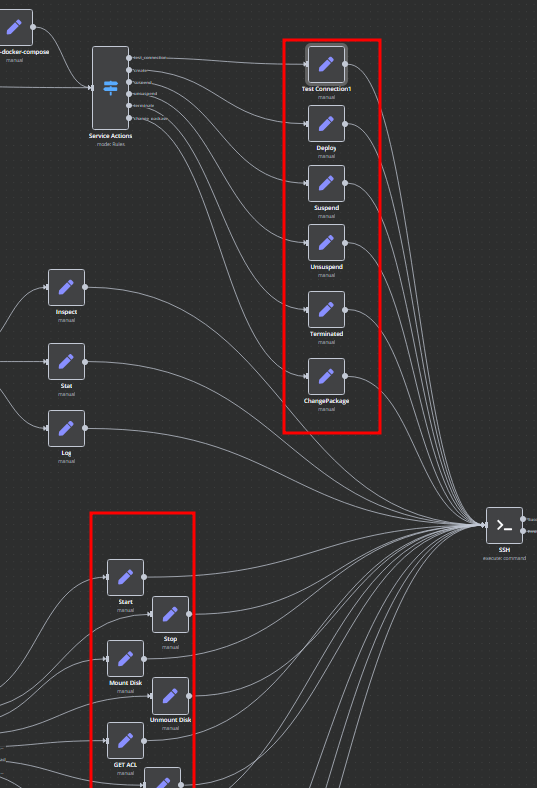
Management of Docker containers and related procedures is done by executing Bash scripts generated in **n8n**. These scripts return either JSON or plain strings.
- All scripts are located in elements directly connected to the **SSH** element.
- You have full control over any script and can modify or execute it as needed.
⚡ How to import this workflow into n8n:
- Click the Direct Download JSON button above to save
Deploy Docker InfluxDB_ API backend for WHMCS_WISECP.json. - Log in to your n8n Cloud or self-hosted n8n instance.
- In your workflow canvas, click the menu in top-right and select Import from File (or paste the JSON directly).
- Configure your credentials (e.g. API keys, database URLs) in the corresponding node settings.
- Click Execute Workflow to test and switch to Active!
Related DevOps & GitHub Workflows
View All in DevOps & GitHub →Generate Google Doc Proposal
Production-ready n8n automation template for Generate Google Doc Proposal built by AhiXLight. Seamlessly connects Execute Workflow Trigger, Google Drive, OpenAI with 7 configured nodes.
Add a new lead to Pipedrive once GitHub repo is forked
This workflow automatically adds a new lead to Pipedrive once someone forks your GitHub repository. Prerequisites - Pipedrive account and Pipedrive credentia...
Add the affiliate to a program automatically
This workflow allows you to create an affiliate, add metadata, and add the affiliate to a program. !workflow-screenshot Tapfiliate node: This node allows you...
Add a note to Pipedrive s contact once PR is added on GitHub
This workflow automatically adds a note of the PR from GitHub to the Pipedrive contact if their GitHub email matches a Person in Pipedrive. Prerequisites - P...